Checkbox Field
The Checkbox field adds a simple yes/no toggle to your Trello cards. It is ideal for tracking completion, flagging items for review, indicating approval, or any other binary yes/no attribute.
How to add a Checkbox Field to your board
- Open Amazing Fields Settings by clicking the Amazing Fields icon in the top-right corner of the board.
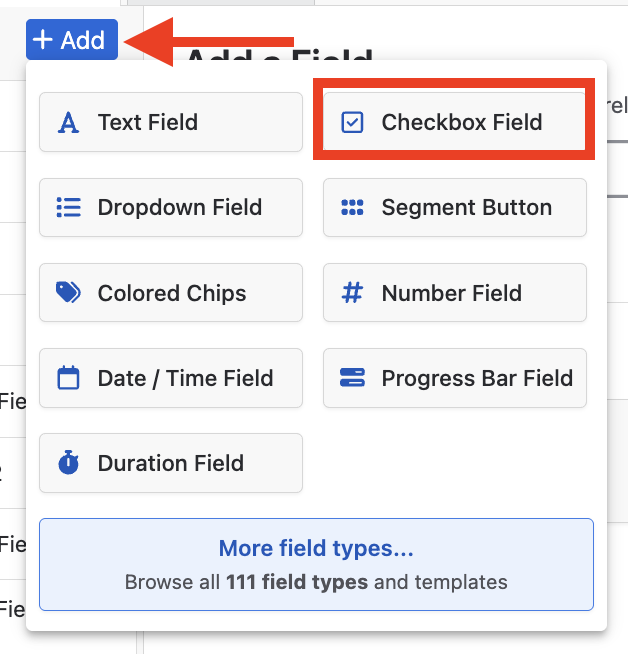
- Click the "+ Add" button.
- Choose "Checkbox Field."
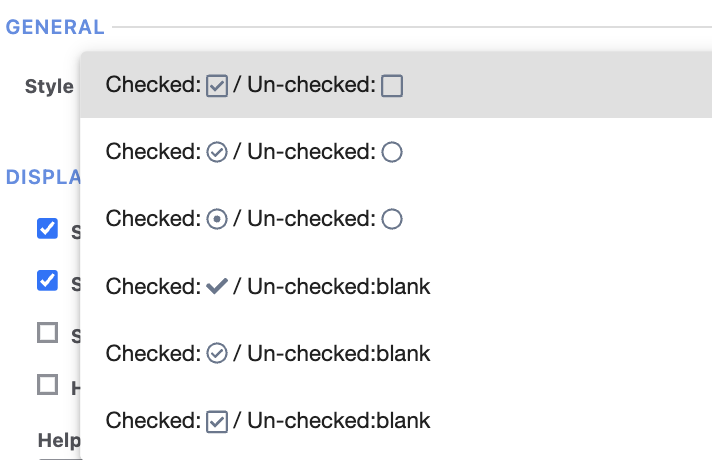
Checkbox style
Amazing Fields offers a number of different visual styles for the Checkbox field. You can change the style by opening the field settings and selecting your preferred option.
Conditional styling for Checkbox Fields
Once you have set up your Checkbox field, you can assign colors to the checked and unchecked to add visual styling to your cards.
